NDIS My Providers: When to Use It and How to Set It Up
21 September 2025 at 07:56:00 pmThe NDIS has been evolving with a new computer system and updated portals to make your work as a provider more efficient and effective. A central part of this upgrade is the introduction of "my providers" which are the providers a participant regularly works with and have formally recorded in their NDIS plans. Understanding when to have yourself recorded as a "my provider," how to set up this relationship in the system, and how to manage it will help you speed up claims, improve communication, and deliver better support to your participants.
This guide will help you navigate these changes with confidence so you can focus more on providing quality supports and less on administration.
What Are "My Providers" in the New NDIS System?
"My providers" is the new, simpler term for what used to be called "participant-endorsed providers." It refers to you, the registered provider, when a participant or their nominee has recorded you in their NDIS plan as a regular provider.
This status applies when you deliver NDIA-managed supports, specialist disability accommodation, home and living supports, behaviour supports, or manage participant funds as a plan manager. If a participant self-manages their plan, they don't need to record providers as "my providers."
Being recorded means the NDIA recognises your ongoing relationship with the participant, allowing faster claims processing and easier access to participant plan information (with their consent).
When Should You Be Recorded as a "My Provider"?
You’ll usually be recorded as a "my provider" at participant plan meetings, plan implementation meetings, or during participant check-ins. Here’s what you should know:
- Active Service Bookings: If you already have an active service booking with a participant before their plan moves to the new NDIS system, you will be automatically recorded as their "my provider." This helps avoid delays or claim rejections.
- New or Changing Participants: If you don’t have an active booking, it’s crucial to talk to participants about being recorded as their "my provider." Participants have the power to update their provider choices anytime, during plan meetings, check-ins, or by contacting the NDIA directly.
- Consent Is Key: You won’t be able to view participant plans or submit claims without participant consent. Make sure your participants understand the importance of giving permission for you to access their plan information.
How to Set Yourself Up as a "My Provider"
Supporting participants with plans in the new NDIS system means you must use the my NDIS provider portal alongside the older myplace provider portal. Here’s how to set yourself up:
Submit a Relationship Request
Go to the ‘Relationship requests’ tab under ‘My organisation’ in the my NDIS provider portal. This is where you can request to be recorded as a "my provider" or plan manager (or both).
Select Your Role and Support Category
Depending on your services, choose the correct support category (home and living, behaviour supports, specialist disability accommodation, etc.). Providers offering multiple types of supports must submit separate requests for each category.
Provide Accurate Details
Complete all required fields, including the start date of your relationship, which must be on or after Day 1 of the participant’s plan.
Check for Validation
If the form has errors, you’ll need to correct and resubmit it.
Once your request is submitted and accepted, you’ll be registered as a participant’s "my provider," allowing you to access important plan information and submit claims more efficiently.
Managing Your "My Provider" Relationship and Claims
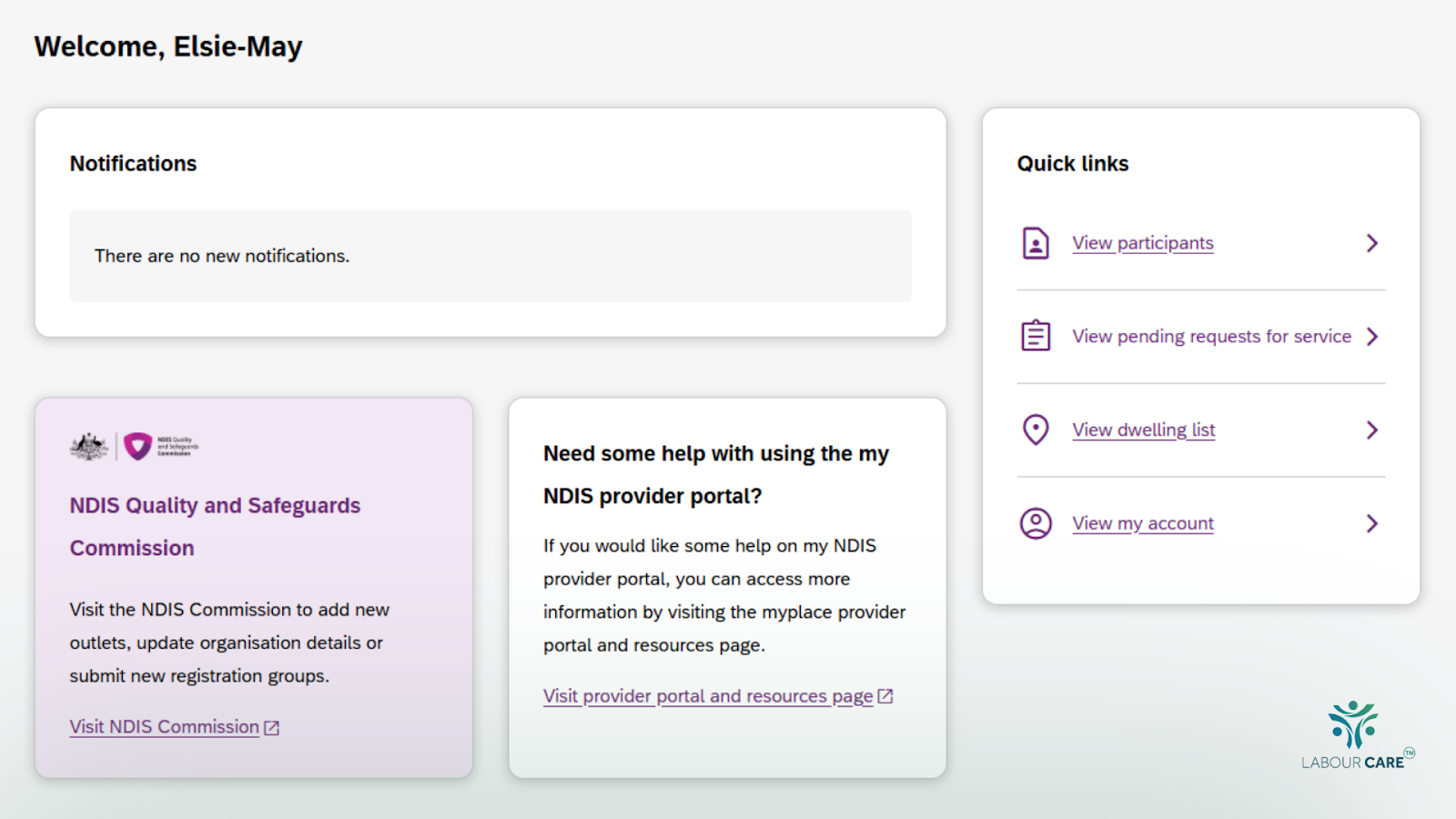
Once recorded, the my NDIS provider portal becomes your main hub for managing your relationships and claims for participants in the new system:
Staying Informed with Notifications
You’ll receive alerts when you have a new relationship with a participant, changes occur to start or end dates, plan reassessments happen, or new plans are approved.
Accessing Participant Plan Details
With their consent, you can access details like plan goals, plan duration, nominee contacts, and more to tailor your supports effectively.
Claims Processing Changes
Claims for NDIA-managed supports must be submitted as bulk payment requests via the myplace provider portal. The single claim function is no longer available for participants with plans in the new system.
Enjoy Faster Payments
Claims you submit as a recorded "my provider" typically process within 2 to 3 business days. If you aren’t recorded and submit a claim, the NDIA will contact the participant for confirmation, which could delay payment by up to 10 days.
Generating Reports
You can generate various reports like claims history, your participants, notifications, and budget reports from the portal. Note that report details depend on your role and the level of consent given by the participant.
What Has Changed About Service Bookings and Support Categories?
The new system no longer requires you to create service bookings. Instead, participants tell the NDIA who their "my providers" are, and these are recorded directly in their plans.
There are 21 support categories under the new system (up from 15), including categories for specialist disability accommodation, home and living, behaviour supports, and more. Your participants’ budgets are now listed by support category as whole dollar amounts, either as stated or flexible budgets.
Make sure you familiarise yourself with these new categories and NDIS support items to ensure your services align correctly with the participant’s plan.
How Participant Check-ins Affect Your Relationship
Participant check-ins happen roughly once a year or before plan reassessments. During these, participants review their goals, supports, and progress.
You may be involved in these check-ins, and it is a great opportunity to discuss your ongoing support and update your "my provider" status.
Supporting participants through check-ins helps maintain clear communication and keeps your provider relationships current, reducing delays in support delivery and claims.
Tips for Providers: How to Support Your Participants and Your Business
Educate Your Participants
Talk openly with participants about the importance of recording "my providers" for seamless support and faster payments.
Maintain Clear Communication
Encourage participants to update you as their "my provider" whenever their support arrangements change.
Respect Participant Consent
Always confirm you have participant or nominee consent before accessing or using their plan information.
Adapt Your Claim Submission Processes
Update your internal processes to submit claims via the bulk upload method to avoid rejected claims.
Use Available Learning Resources
Take advantage of the NDIS learning tools and portal guides to stay ahead of system changes.
Useful Tools and Resources for Providers
The NDIA has developed a wealth of resources to make your transition smooth:
- The Registered Providers Information Pack offers detailed guidance.
- Quick reference guides are available to help you on Day 1 and beyond.
- Step-by-step portal guides and online learning modules help you master the new system.
- You can also reach out to the National Contact Centre at 1300 311 675 or email [email protected] for additional support.
Make sure to check out the dedicated NDIS improvements website for ongoing updates and helpful tools.
Conclusion
As an NDIS provider, understanding the new "my providers" process is essential to your success in the changing landscape. Being recorded as a "my provider" by your participants gives you faster access to participant information, speeds up claim payments, and strengthens your professional relationship.
By proactively engaging participants, using the my NDIS provider portal effectively, and aligning with the new system requirements, you can reduce administration and focus on what you do best, supporting participants to achieve their goals.
Stay informed, communicate clearly, and leverage available support to thrive as an NDIS provider in this exciting new era.
Want support streamlining your “My Providers” process? Labour Care can guide you through compliance, system setup, and participant onboarding with confidence. Book a free consultation today.
FAQs about "My Providers" in the New NDIS System
1. What happens to my claim if I’m not recorded as a participant’s “my provider”?
If a claim is made by a provider not recorded as a "my provider," the NDIA will send an SMS to the participant or their nominee to confirm if the support is agreed upon. This verification process may take up to 10 days, potentially delaying payment. For SDA, Home and Living, and Behaviour Supports, claims are automatically rejected if you are not recorded at the support category level.
2. Can a provider become a "my provider" for multiple support categories?
Yes, if you provide services across multiple NDIS support categories, you need to submit individual relationship requests for each category when setting yourself up as a "my provider."
3. Can participants still choose to use providers who are not recorded as their "my providers"?
Yes, participants retain full choice and control and can use any provider they want. However, claims for payments made by providers not recorded as "my providers" will undergo the participant confirmation process, which can delay payments.
Latest Post